
react-native · folio
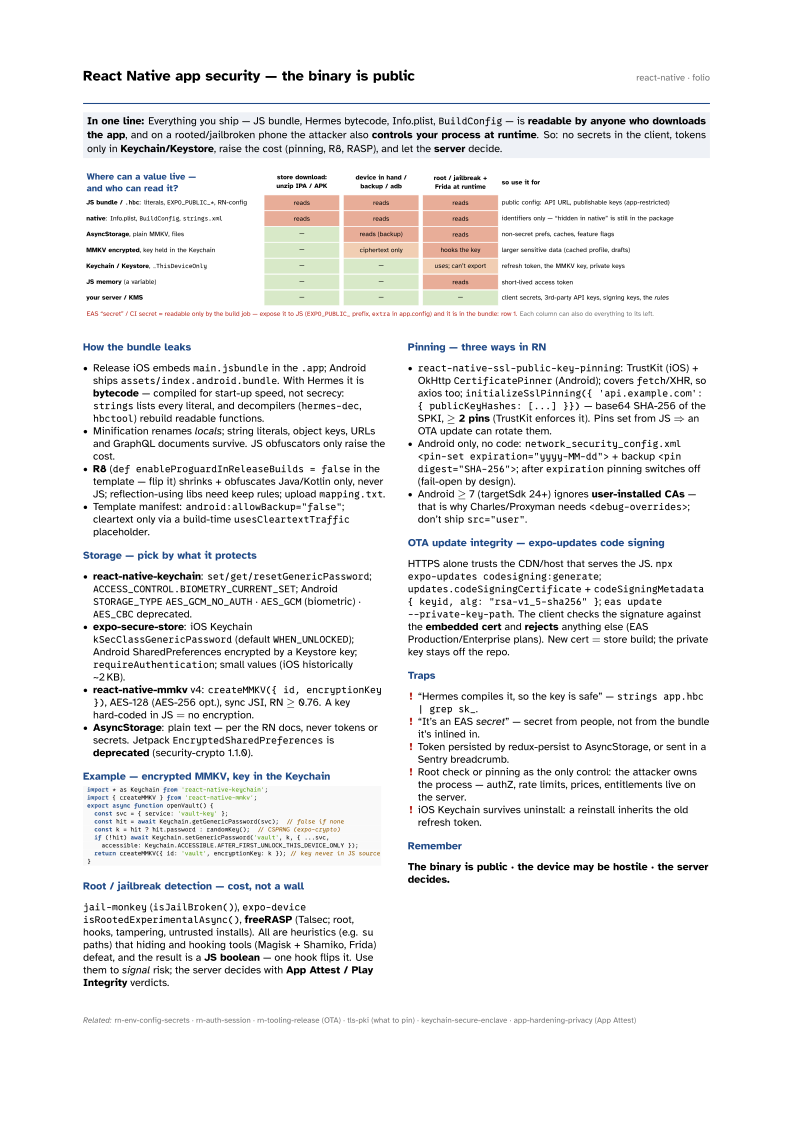
In one line: Everything you ship — JS bundle, Hermes bytecode, Info.plist, BuildConfig — is
readable by anyone who downloads the app, and on a rooted/jailbroken phone the attacker also
controls your process at runtime. So: no secrets in the client, tokens only in
Keychain/Keystore, raise the cost (pinning, R8, RASP), and let the server decide.
Download PDF Print view LaTeX source

How the bundle leaks
- Release iOS embeds
main.jsbundlein the.app; Android shipsassets/index.android.bundle. With Hermes it is bytecode — compiled for start-up speed, not secrecy:stringslists every literal, and decompilers (hermes-dec,hbctool) rebuild readable functions. - Minification renames locals; string literals, object keys, URLs and GraphQL documents survive. JS obfuscators only raise the cost.
- R8 (
def enableProguardInReleaseBuilds = falsein the template — flip it) shrinks + obfuscates Java/Kotlin only, never JS; reflection-using libs need keep rules; uploadmapping.txt. - Template manifest:
android:allowBackup="false"; cleartext only via a build-timeusesCleartextTrafficplaceholder.
Storage — pick by what it protects
- react-native-keychain:
set/get/resetGenericPassword;ACCESS_CONTROL.BIOMETRY_CURRENT_SET; AndroidSTORAGE_TYPEAES_GCM_NO_AUTH·AES_GCM(biometric) ·AES_CBCdeprecated. - expo-secure-store: iOS Keychain
kSecClassGenericPassword(defaultWHEN_UNLOCKED); Android SharedPreferences encrypted by a Keystore key;requireAuthentication; small values (iOS historically ~2 KB). - react-native-mmkv v4:
createMMKV({ id, encryptionKey }), AES-128 (AES-256 opt.), sync JSI, RN ≥ 0.76. A key hard-coded in JS = no encryption. - AsyncStorage: plain text — per the RN docs, never tokens or secrets. Jetpack
EncryptedSharedPreferencesis deprecated (security-crypto 1.1.0).
Example — encrypted MMKV, key in the Keychain
import * as Keychain from 'react-native-keychain';
import { createMMKV } from 'react-native-mmkv';
export async function openVault() {
  const svc = { service: 'vault-key' };
  const hit = await Keychain.getGenericPassword(svc);  // false if none
  const k = hit ? hit.password : randomKey();  // CSPRNG (expo-crypto)
  if (!hit) await Keychain.setGenericPassword('vault', k, { ...svc,
    accessible: Keychain.ACCESSIBLE.AFTER_FIRST_UNLOCK_THIS_DEVICE_ONLY });
  return createMMKV({ id: 'vault', encryptionKey: k }); // key never in JS source
}
Root / jailbreak detection — cost, not a wall
jail-monkey (isJailBroken()), expo-device isRootedExperimentalAsync(), freeRASP (Talsec; root, hooks, tampering, untrusted installs). All are heuristics (e.g. su paths) that hiding and hooking tools (Magisk + Shamiko, Frida) defeat, and the result is a JS boolean — one hook flips it. Use them to signal risk; the server decides with App Attest / Play Integrity verdicts.
Pinning — three ways in RN
react-native-ssl-public-key-pinning: TrustKit (iOS) + OkHttpCertificatePinner(Android); coversfetch/XHR, so axios too;initializeSslPinning({ 'api.example.com': { publicKeyHashes: [...] }})— base64 SHA-256 of the SPKI, ≥ 2 pins (TrustKit enforces it). Pins set from JS ⇒ an OTA update can rotate them.- Android only, no code:
network_security_config.xml<pin-set expiration="yyyy-MM-dd">+ backup<pin digest="SHA-256">; afterexpirationpinning switches off (fail-open by design). - Android ≥ 7 (targetSdk 24+) ignores user-installed CAs — that is why Charles/Proxyman needs
<debug-overrides>; don’t shipsrc="user".
OTA update integrity — expo-updates code signing
HTTPS alone trusts the CDN/host that serves the JS. npx expo-updates codesigning:generate; updates.codeSigningCertificate + codeSigningMetadata { keyid, alg:
"rsa-v1_5-sha256" }; eas update --private-key-path. The client checks the signature against the embedded cert and rejects anything else (EAS Production/Enterprise plans). New cert = store build; the private key stays off the repo.
Traps
- “Hermes compiles it, so the key is safe” —
strings app.hbc | grep sk_. - “It’s an EAS secret” — secret from people, not from the bundle it’s inlined in.
- Token persisted by redux-persist to AsyncStorage, or sent in a Sentry breadcrumb.
- Root check or pinning as the only control: the attacker owns the process — authZ, rate limits, prices, entitlements live on the server.
- iOS Keychain survives uninstall: a reinstall inherits the old refresh token.