
security · folio
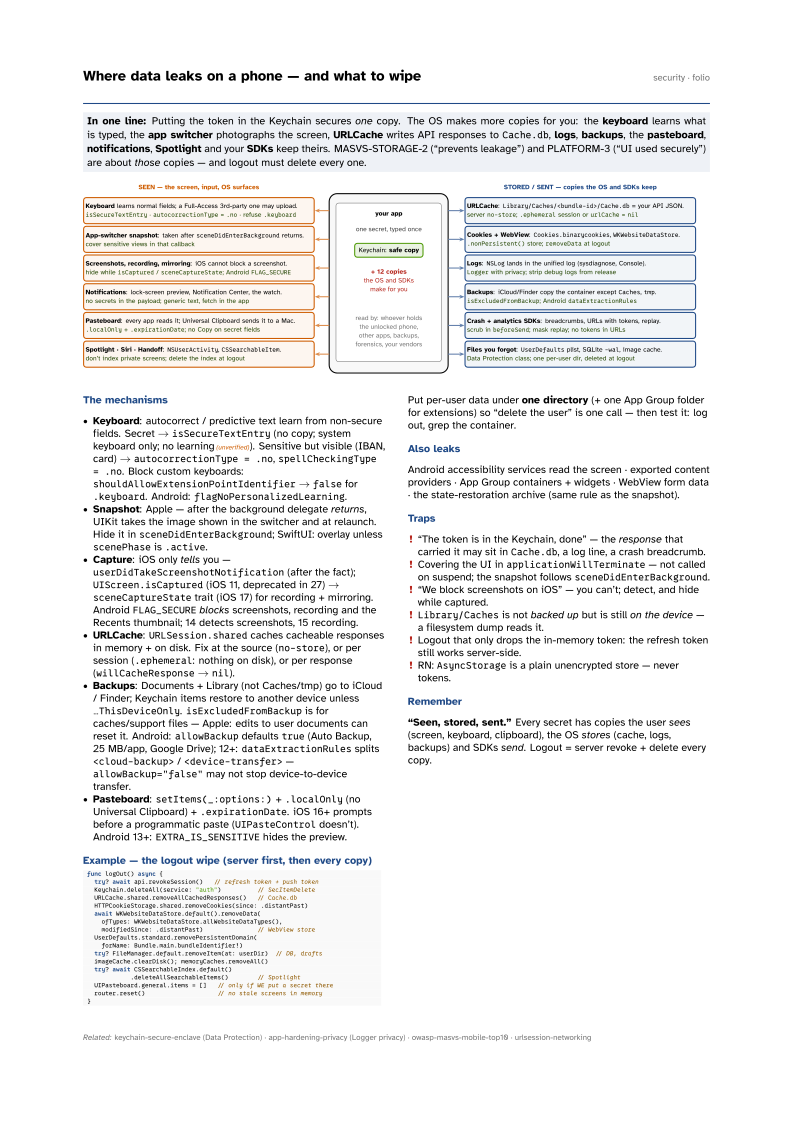
In one line: Putting the token in the Keychain secures one copy. The OS makes more
copies for you: the keyboard learns what is typed, the app switcher photographs
the screen, URLCache writes API responses to Cache.db, logs, backups,
the pasteboard, notifications, Spotlight and your SDKs keep
theirs. MASVS-STORAGE-2 (“prevents leakage”) and PLATFORM-3 (“UI used securely”) are about
those copies — and logout must delete every one.
Download PDF Print view LaTeX source

The mechanisms
- Keyboard: autocorrect / predictive text learn from non-secure fields. Secret →
isSecureTextEntry(no copy; system keyboard only; no learning(unverified)). Sensitive but visible (IBAN, card) →autocorrectionType = .no,spellCheckingType = .no. Block custom keyboards:shouldAllowExtensionPointIdentifier→falsefor.keyboard. Android:flagNoPersonalizedLearning. - Snapshot: Apple — after the background delegate returns, UIKit takes the image shown in the switcher and at relaunch. Hide it in
sceneDidEnterBackground; SwiftUI: overlay unlessscenePhaseis.active. - Capture: iOS only tells you —
userDidTakeScreenshotNotification(after the fact);UIScreen.isCaptured(iOS 11, deprecated in 27) →sceneCaptureStatetrait (iOS 17) for recording + mirroring. AndroidFLAG_SECUREblocks screenshots, recording and the Recents thumbnail; 14 detects screenshots, 15 recording. - URLCache:
URLSession.sharedcaches cacheable responses in memory + on disk. Fix at the source (no-store), or per session (.ephemeral: nothing on disk), or per response (willCacheResponse→nil). - Backups: Documents + Library (not Caches/tmp) go to iCloud / Finder; Keychain items restore to another device unless
…ThisDeviceOnly.isExcludedFromBackupis for caches/support files — Apple: edits to user documents can reset it. Android:allowBackupdefaultstrue(Auto Backup, 25 MB/app, Google Drive); 12+:dataExtractionRulessplits<cloud-backup>/<device-transfer>—allowBackup="false"may not stop device-to-device transfer. - Pasteboard:
setItems(_:options:)+.localOnly(no Universal Clipboard) +.expirationDate. iOS 16+ prompts before a programmatic paste (UIPasteControldoesn’t). Android 13+:EXTRA_IS_SENSITIVEhides the preview.
Example — the logout wipe (server first, then every copy)
func logOut() async {
  try? await api.revokeSession()   // refresh token + push token
  Keychain.deleteAll(service: "auth")          // SecItemDelete
  URLCache.shared.removeAllCachedResponses()   // Cache.db
  HTTPCookieStorage.shared.removeCookies(since: .distantPast)
  await WKWebsiteDataStore.default().removeData(
    ofTypes: WKWebsiteDataStore.allWebsiteDataTypes(),
    modifiedSince: .distantPast)               // WebView store
  UserDefaults.standard.removePersistentDomain(
    forName: Bundle.main.bundleIdentifier!)
  try? FileManager.default.removeItem(at: userDir)  // DB, drafts
  imageCache.clearDisk(); memoryCaches.removeAll()
  try? await CSSearchableIndex.default()
            .deleteAllSearchableItems()        // Spotlight
  UIPasteboard.general.items = []   // only if WE put a secret there
  router.reset()                    // no stale screens in memory
}
Put per-user data under one directory (+ one App Group folder for extensions) so “delete the user” is one call — then test it: log out, grep the container.
Also leaks
Android accessibility services read the screen · exported content providers · App Group containers + widgets · WebView form data · the state-restoration archive (same rule as the snapshot).
Traps
- “The token is in the Keychain, done” — the response that carried it may sit in
Cache.db, a log line, a crash breadcrumb. - Covering the UI in
applicationWillTerminate— not called on suspend; the snapshot followssceneDidEnterBackground. - “We block screenshots on iOS” — you can’t; detect, and hide while captured.
Library/Cachesis not backed up but is still on the device — a filesystem dump reads it.- Logout that only drops the in-memory token: the refresh token still works server-side.
- RN:
AsyncStorageis a plain unencrypted store — never tokens.
Remember
“Seen, stored, sent.” Every secret has copies the user sees (screen, keyboard, clipboard), the OS stores (cache, logs, backups) and SDKs send. Logout = server revoke + delete every copy.